New article
Recently updated
Editing the main menu

Who is this article for?
Users working with the creator module.
Webmaster role is required.
The menu bar allows visitors to navigate to user-selected pages and enables webmasters to design the website by adding, removing, or repositioning pages up to three levels deep.
Accessing the Menu Editor
To access the Menu Editor:
- Hover the mouse pointer over the menu bar.
- Click the edit button icon that appears in the upper left corner.

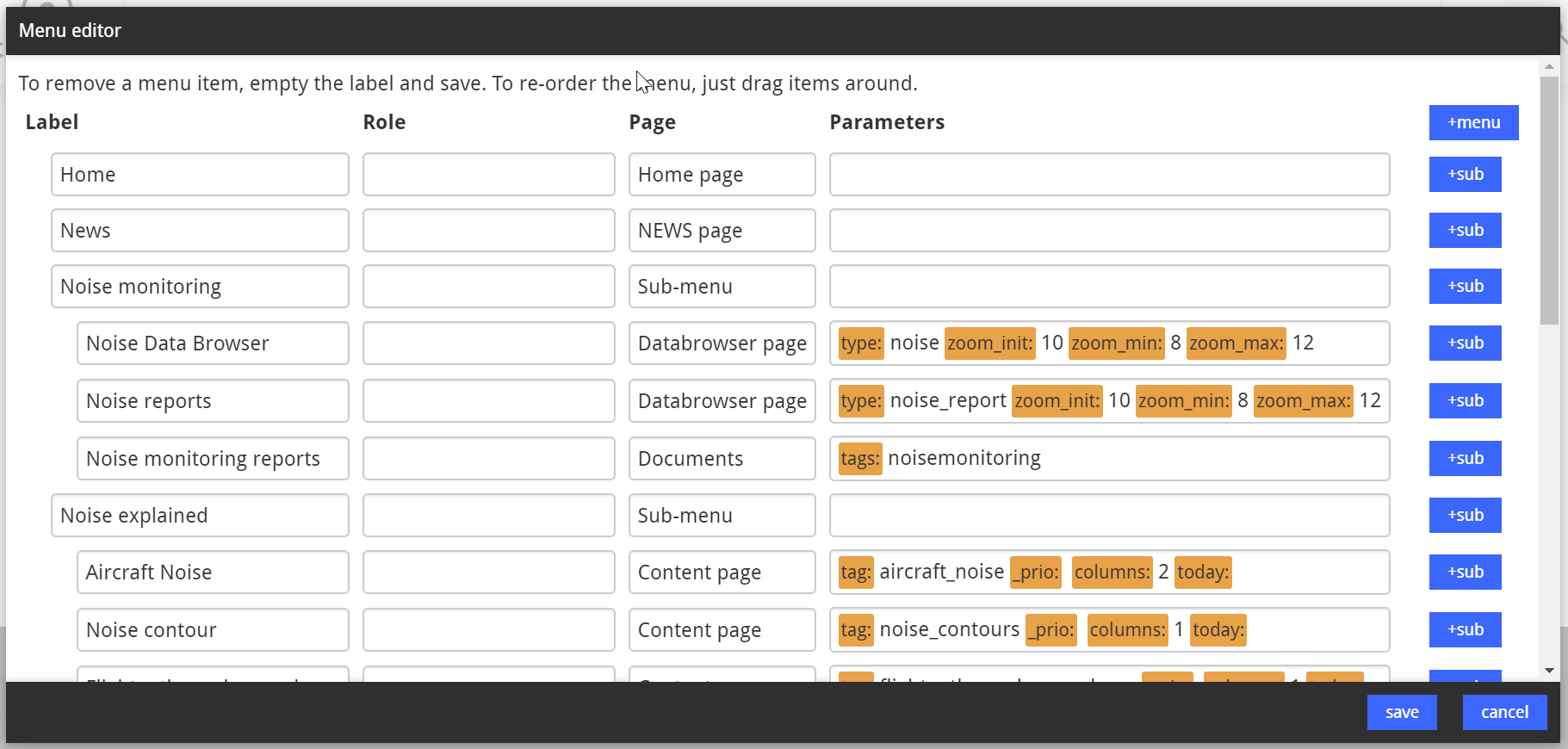
The Menu Editor opens.
Understanding menu item properties
Each menu item is defined by up to four properties:
- Label: The title of the menu item that displays on your site
- Role: Defines which user type can view the item and its content:
- Empty/Blank: Visible to everyone
- WEBMASTER: Visible to webmasters at your organisation and at Casper
- ADMIN: Visible to administrators at Casper only
- HIDDEN: Hidden for everyone (but still visible on the slideshow element on the homepage)
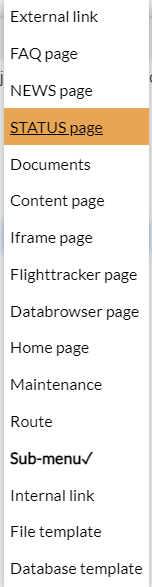
- Page: The template that determines the page layout and text boxes. Templates can also contain standard components such as a calendar or flight tracking elements
- Parameters: Multiple parameters can be added to a page