New article
Recently updated
Navigating the Documents overview template

Who is this article for?
Users working with the Documents overview template.
No special access or permissions are required.
The documents overview template creates a page that lists all documents uploaded through the Admin Uploads function, with the ability to filter and group them by tags.
Documents overview template
The documents overview template displays all documents uploaded in the Admin module. By applying the same tags in the menu editor as those assigned to uploaded documents, you can show and group documents by tag.
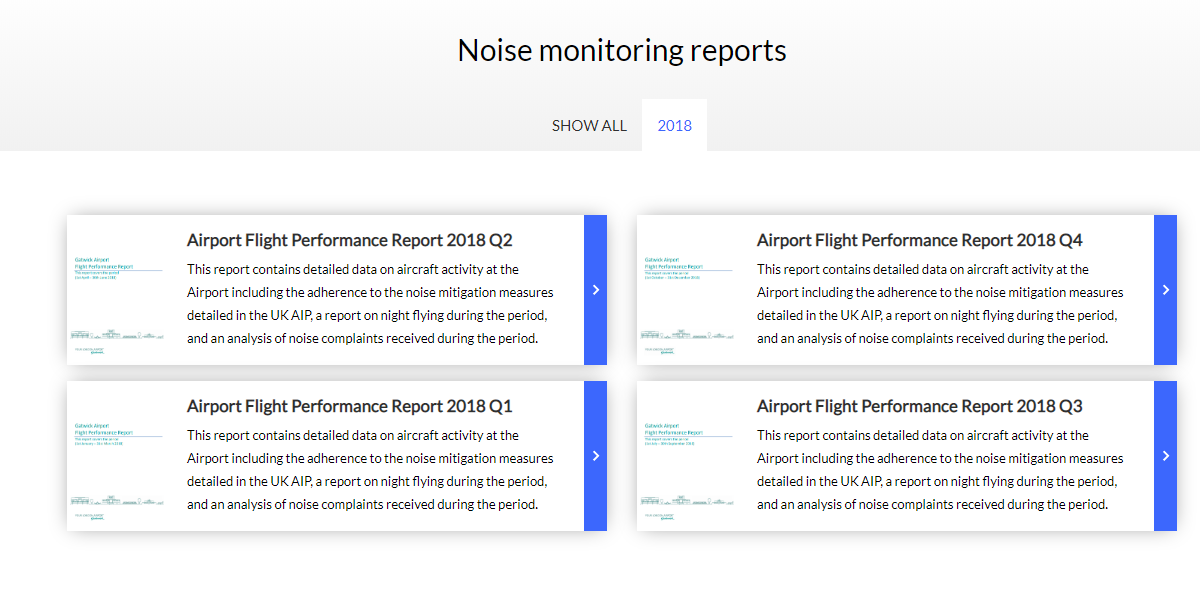
In the example below, the menu uses the document overview template to display all documents tagged with "noisemonitoring" and "2018".

When configured, the template lists all documents under the Show all tab. Users can filter documents by selecting specific tag tabs, such as 2018, to view only documents with that tag.